Projects and rehabs
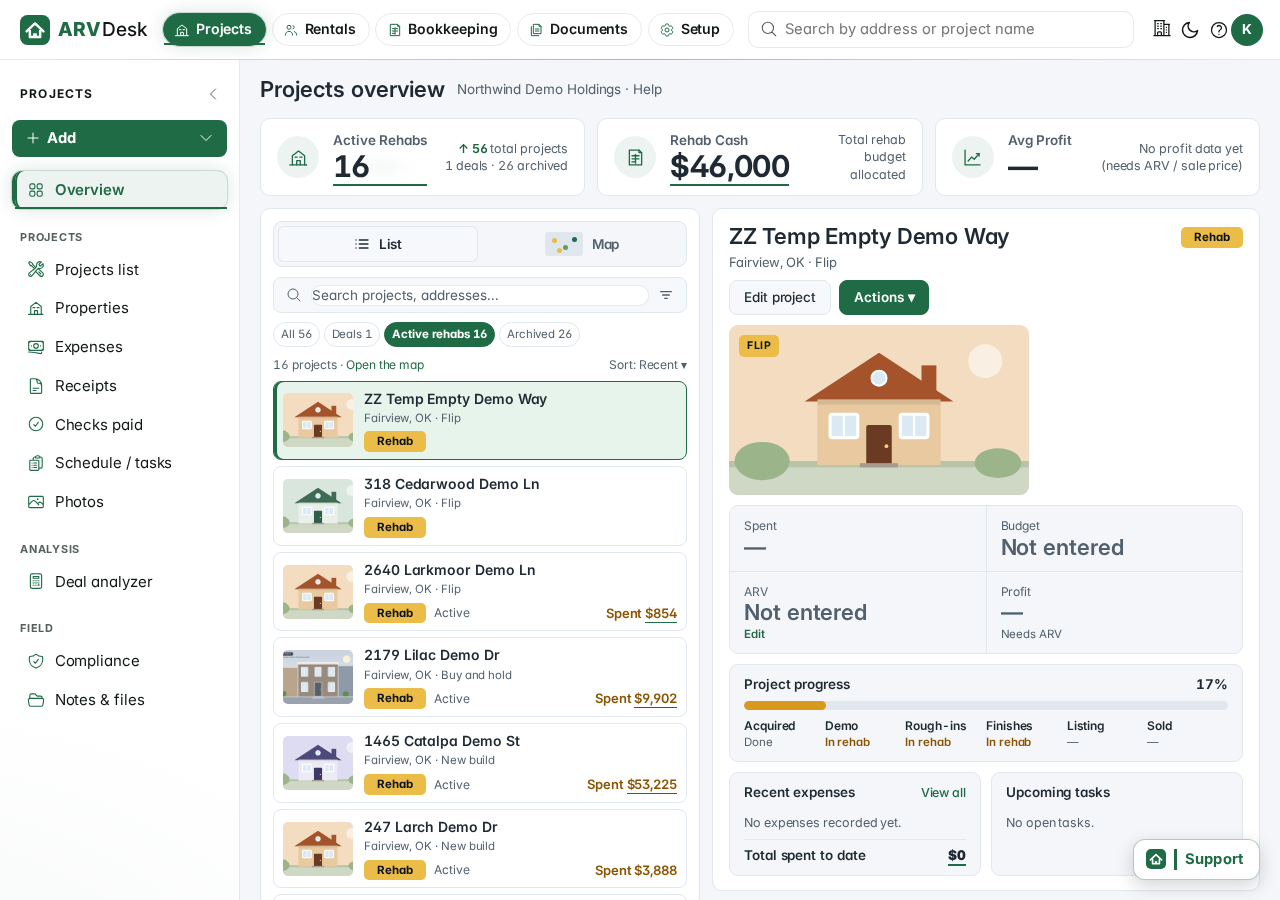
Every flip, build and buy-and-hold in one list. See what is active, what you have spent against budget, how far along each project is and what is coming up next, without opening a spreadsheet.
For landlords and rehabbers
ARVDesk keeps your projects, rent roll, leases and books together, so you always know where each property stands and what it cost. Receipts land in the right place, and tax time stops being a scramble.
Free trial: coming soon. This button does not go anywhere yet.
Real screens from the app, shown with sample data.
Every flip, build and buy-and-hold in one list. See what is active, what you have spent against budget, how far along each project is and what is coming up next, without opening a spreadsheet.
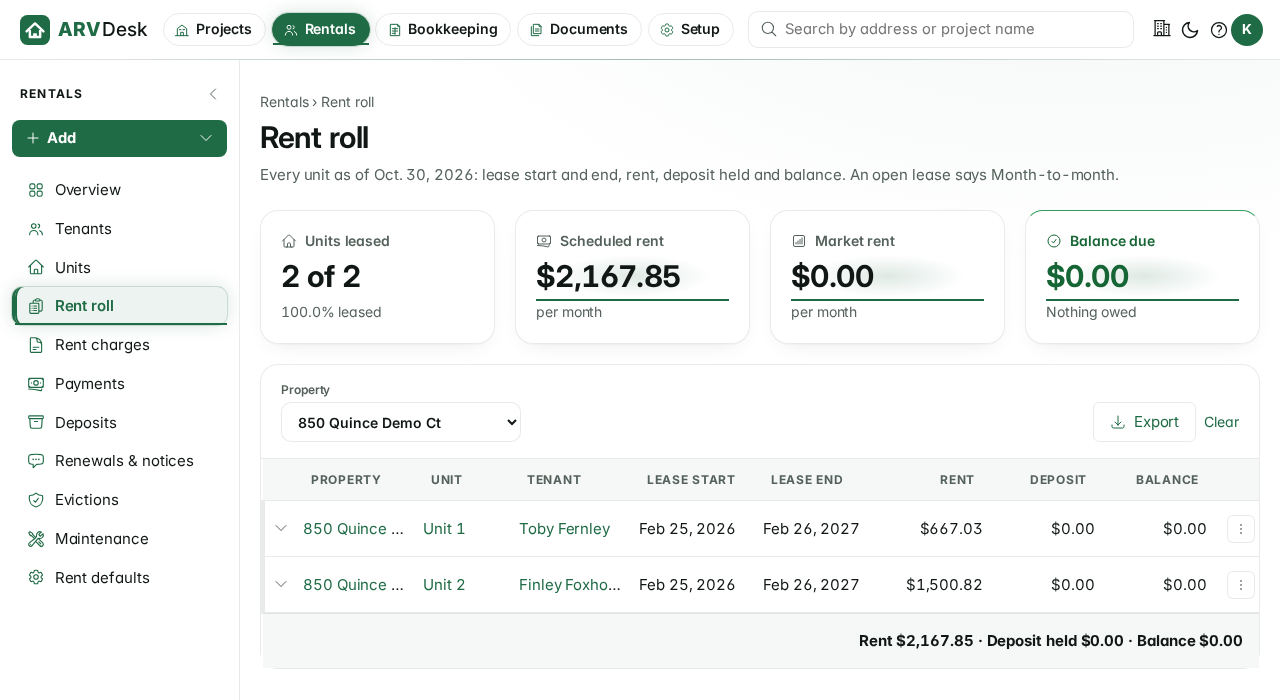
Every unit on one page: who lives there, when the lease starts and ends, the rent, the deposit held and the balance. Filter by property and export it when your lender or accountant asks.
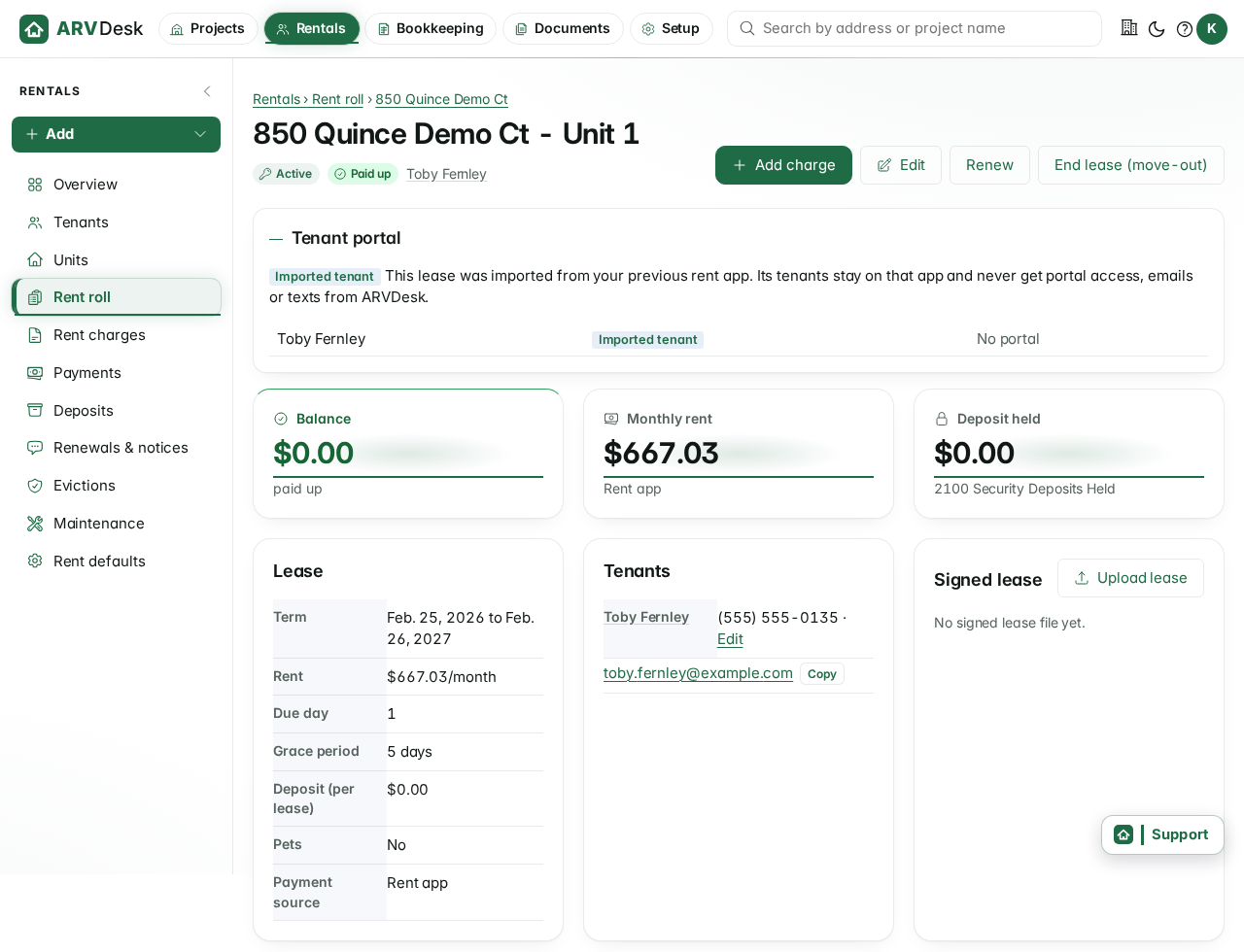
Term, rent, due day, grace period, deposit and the signed lease live on one lease page, next to the charges and the tenant ledger. Renew or end a lease from the same screen.
See what you spent by project and by category at a glance, with your bank and card accounts alongside. When the year closes, the reports your accountant needs come from the same books.
Reports: rolling out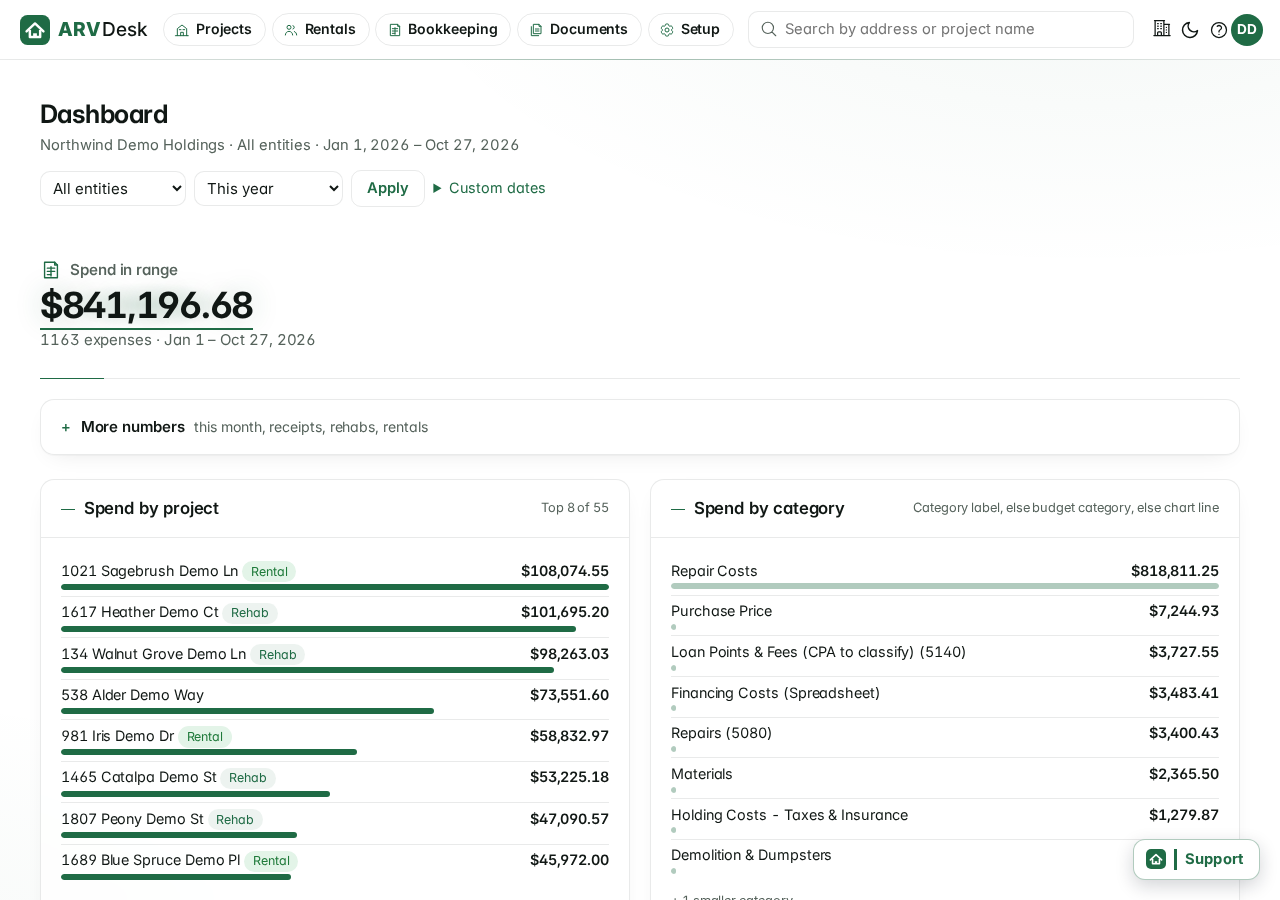
Forward a receipt or snap a photo of it. ARVDesk reads it, suggests the property and the vendor, and waits for your approval before it touches the books.
Email intake: rolling outTenants pay rent online and each payment is matched to the right lease and the right bank account. Cash and checks you enter by hand sit in the same list, so one page shows everything that came in.
Rolling out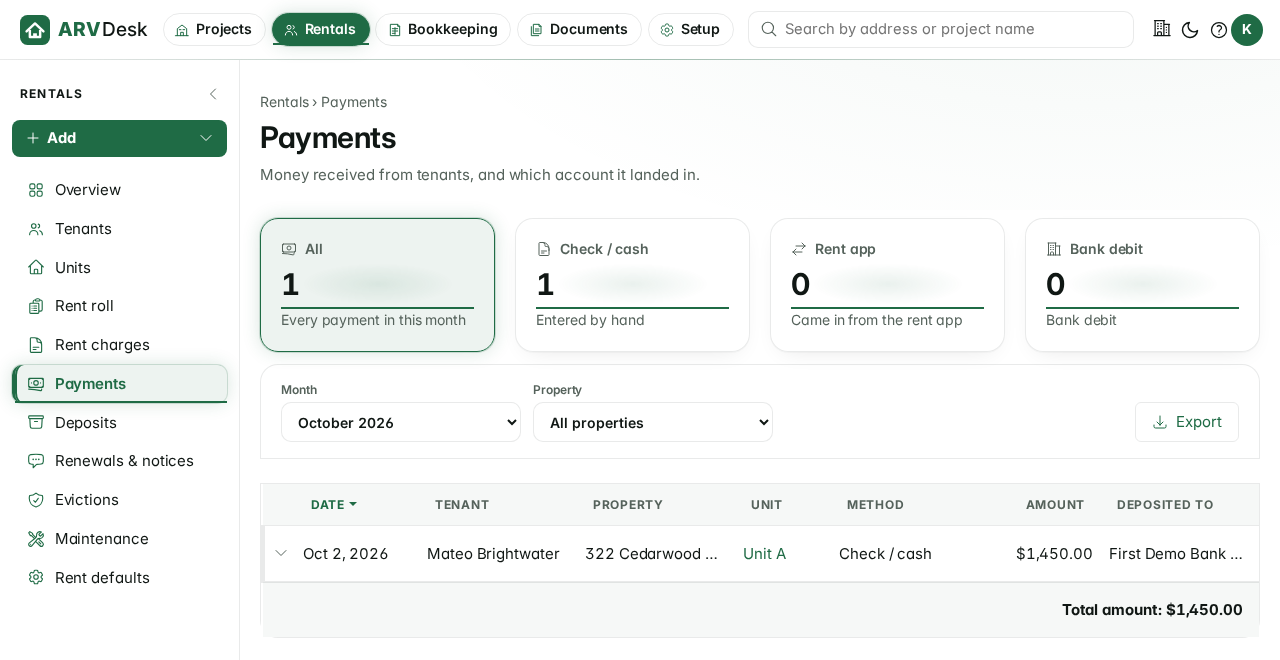
Draft pricing, not final
Every plan has every feature. You pick the one that fits the number of units you manage.
$49/mo
Up to 10 units
For a landlord with a handful of doors or a first rehab.
$99/mo
Up to 50 units
For a growing portfolio with rehabs running alongside it.
$149/mo
Unlimited units
For larger owners who do not want to count doors.
Prices shown are drafts and may change before launch. Nothing on this page charges a card.
No. The three plans are a draft and the numbers may change before launch.
A free trial is planned but is not open yet. The Start free trial button is a placeholder for now.
One rentable door: a single-family house is one unit, and a four-plex is four. Rehabs you are not renting yet do not count.
Yes. That is what ARVDesk is built for. A flip becomes a rental when you keep it, and its costs stay with the property.
Online rent collection is rolling out. Payments are matched to the lease automatically, and payments you enter by hand, such as checks, show up in the same list.
By email or by photo. Each one waits for your approval before it is booked, so nothing lands in your books by surprise.
Each account's data is kept separate from every other account, and signing in takes your password plus a code from your authenticator app.
Year-end reports built from the same books you keep during the year, so your accountant does not have to rebuild them. These reports are rolling out.